How to Record TikTok Lives Before They Disappear (2026)
How to Record TikTok Lives Before They Disappear (2026)
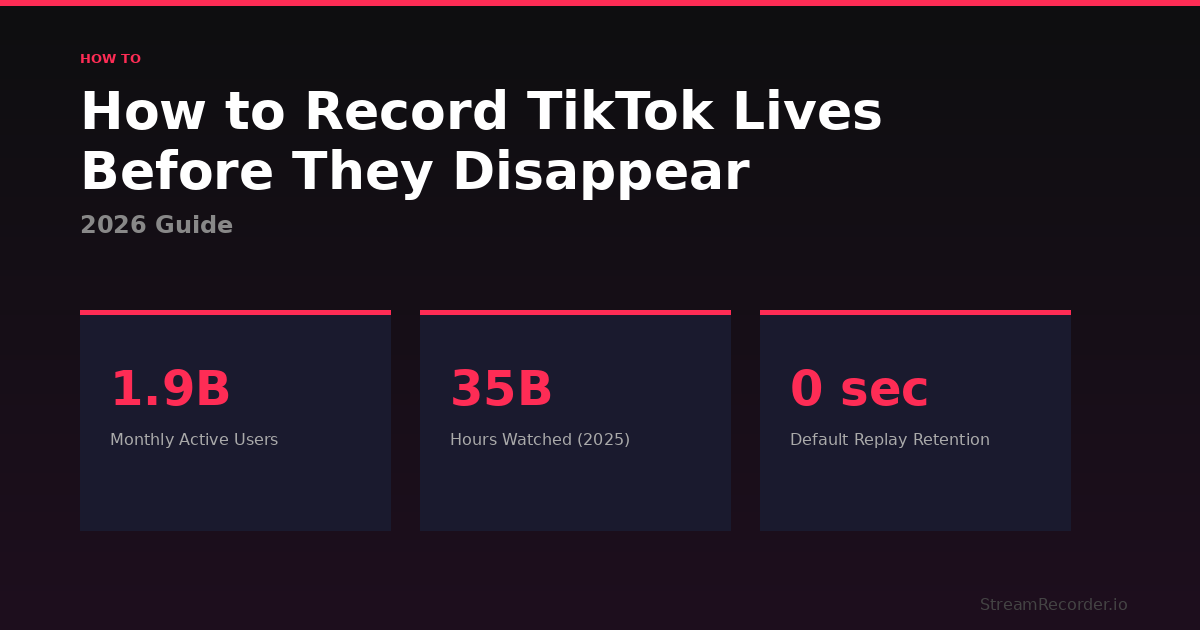
TikTok Live by the Numbers (2026)
| Monthly Active Users | Hours Watched (2025) | Average Daily Usage | Default Replay Retention |
|---|---|---|---|
| 1.9B | 35B | 95 min | 0 sec |
I lost a 3-hour TikTok Live from a creator I'd been following for months. Not because my internet cut out or my phone died. I didn't even know the stream was happening until somebody mentioned it in a group chat the next morning. By then it was gone. Done. Over. Never to be seen again. TikTok doesn't keep replays by default. The stream ends and it's like it never happened.
Nobody tells you that upfront. I didn't see it coming either. Twitch, your VODs sit there 14 to 60 days depending on your tier. Kick saves replays automatically, streamer doesn't gotta do a thing. YouTube leaves the stream up like a regular upload. TikTok? Nope. They pulled in like 35 billion hours of live watch time in 2025 across around 1.9 billion monthly users, and the second the broadcast ends, it's delete. Not archive, not "saved for later," not tucked away anywhere. Just gone. Like it never happened. Total load of crap.
So I started testing. Over the past couple months I tried every recording method I could find, four of them. Most people start with the obvious one, and yeah, that's where I started too. And if you want the full breakdown across Twitch, Kick, YouTube, and the rest, I laid it all out in the complete guide to recording live streams.
Phone Screen Recording: The Obvious First Attempt
Every iPhone since iOS 14 and every Android since version 11 comes with a screen recorder built in. Swipe down, hit record, done. When I first started trying to save TikTok Lives, I figured that would be enough. It wasn't.
Here's why I stopped trusting it. On paper it's simple. iPhone, pull down Control Center, long-press the record button, flip the mic on if you need it, go. Android, two swipes and a tap. Takes like four seconds either way. And my first try actually worked. I grabbed a cooking stream from a creator in Manila, video looked fine, audio was clean, I'm thinking, alright, problem solved.
Then reality showed up about forty minutes into my second recording.
Phone rang. Full incoming call screen, stamped right into the middle of the damn stream. WhatsApp notifications kept sliding in from the top of the frame. My iPhone 14 Pro burned through 31% battery during a 2-hour session, and I couldn't touch anything else on the phone the entire time. No messages. No switching apps. Nothing. Your phone becomes a single-purpose recording brick for however long the stream runs.
Worst part: you can only capture one live at a time. I follow a couple of TikTok creators who go live at overlapping hours because they're both in Southeast Asia. Screen recording forces me to pick one. The other one's gone.
OBS on Desktop: Better Quality, Same Timing Problem
I actually got excited about this one. Open TikTok in a Chrome tab or an Android emulator like BlueStacks, point OBS Studio at the window, hit record. Resolution control, bitrate control, encoding presets, file format options. If you're streaming to TikTok from a desktop setup already, OBS can record a local copy at the same time you're broadcasting. I tested this with a 45-minute session and the output was genuinely good. Sharp. Clean audio separation. Way better than anything my iPhone produced.
The problem showed up the next day. A creator I follow in Jakarta went live around 2 AM my time. I was asleep. OBS was closed. Recording didn't happen. That's when it clicked. OBS will do exactly what you tell it, at the exact moment you tell it, and absolutely nothing else. It won't monitor a channel. It won't detect when someone starts broadcasting. It has no idea TikTok even exists unless you physically open the page and press the button yourself. My iMac sat there on my desk the whole night, six feet from my bed, completely useless. And the file sizes pile up fast, too. Three hours of 1080p TikTok Live footage came out to about 6.8 GB in my test. Do that a few times a week and you're buying external storage within a month.
Third-Party Apps: Don't Bother
XRecorder, AZ Screen Recorder, Record it! show up in every "how to record TikTok" thread on Reddit. I downloaded three of them after the OBS disappointment. Spent a weekend testing. They're screen recorders wearing a slightly better coat of paint. That's all.
TikTok has to be open. You have to be staring at the stream. Phone stays on the whole time. XRecorder has a floating bubble that lets you start recording without leaving the app, which is nice for about ten seconds until you realize it's still just capturing pixels off your display. AZ Screen Recorder says you can "schedule" a recording. Schedule what, exactly? You don't know when these people go live. I'm on r/TikTokLive, thread from last November, like forty comments, all asking the same thing: is there an app that just records it automatically when the stream starts?
If any app on your phone says it can capture TikTok Lives while the app is closed or your screen is off, it's lying to you. Or it's routing through a cloud service and charging you for the privilege. In which case skip the middleman entirely and look at the cloud service directly.
What TikTok's Own Tools Actually Do (Not Much)
Before getting to the method that actually solved this for me, it's worth covering what TikTok itself provides. Because people in r/TikTokLive ask about this constantly and the answer is always disappointing.
TikTok has a "Save LIVE Replay" toggle creators can turn on before they go live. If they actually use it, the replay shows up on their profile a few hours after the stream ends, and you can watch it back like any regular TikTok video.
In theory this sounds fine. Creators flip the toggle, replays show up on their profile, viewers watch them later. In practice I've followed at least a dozen TikTok creators with 200K+ followers and I can count on one hand the number of times a replay actually appeared. Half of them don't know the toggle exists. The ones who do forget to enable it before going live, and there's no way to turn it on mid-broadcast. I asked a creator about this once in her chat and she said "wait, that's a thing?" She had 340K followers.
Even when replays do appear, TikTok's content moderation can suppress or remove them after the fact with zero notice. And they expire. Nobody's pinned down the exact window because TikTok keeps shifting it around, but a few days seems to be the upper limit. The platform racks up 95 minutes of average daily usage per person across 155 countries, and somewhere in the design of this enormously popular product, someone decided that viewers should get zero ability to download or save a live replay. Not reduced ability. Not limited ability. Zero. The download button simply does not exist in the app.
Creators get a "Save to Device" toggle that records the broadcast to their camera roll. But the file writes to local phone storage, competing with photos, apps, cached data, everything else fighting for space on your device. A 2-hour session generates 3 to 4 GB. I know a creator whose phone hit "Storage Full" mid-broadcast and the resulting file was a corrupted partial. She lost an entire product launch stream. The app doesn't handle interruptions gracefully at all. Phone call during recording? Corrupted. App crash? Corrupted. No recovery option in any of these situations, what BS.
Cloud Recording: The One That Actually Works
After I lost that 3-hour stream, then lost another one a week later from a TikTok Shop seller whose demos I was studying for a client, I was done with manual methods. I set up cloud recording instead. A whole different game.
The concept took me embarrassingly long to understand, honestly. A cloud service sits on remote servers watching whatever TikTok creators you tell it to watch. Someone goes live at 3 AM in Taipei? Recording starts on the service's infrastructure. Not on your phone. Not on your laptop. Your devices aren't involved at all. I remember explaining this to a friend and he said "so it's like a DVR for TikTok" and yeah, that's basically it.
I use StreamRecorder.io for this. TikTok Live plus 10 other platforms. You add the creator usernames, walk away. It grabs the stream from the first second, no guessing, no "I caught the last half." I'm on the free tier, it does 720p and lets me track up to three creators. The paid plans push up to 4K, and you're not capped on how many channels you track. Not too shabby for free!
Took me way too long to understand why this felt different from just "a better screen recorder." Every other method I tried assumes the same thing: you'll be awake, online, phone charged, at the exact second someone decides to broadcast. On TikTok that assumption is insane. Creators don't post schedules. They go live when they feel like it. The person I follow in Sao Paulo starts streaming around 9 PM her time, which is 1 AM mine. I was setting alarms for a while. Actually setting alarms on my nightstand to wake up and open TikTok. Cloud recording made that whole circus unnecessary. My copy gets captured while I'm unconscious and it's sitting there when I wake up.
TikTok Shop sellers are the ones getting hit hardest by the no-recording default, by the way. I keep seeing the $33 billion global GMV stat from 2024 quoted everywhere. Seventy-six percent of buyers purchased during a livestream. Think about how stupid that is for a seller who runs a 4-hour product demo, converts at 3x their usual rate, nails this high-energy pitch, and then the stream ends and all that footage just evaporates. Poof. Gone. Can't train new staff on it. Can't pull clips for paid ads. Can't even review their own performance. I was in a TikTok Shop Facebook group last month where a guy named Marcus (or maybe it was Marco, the profile was ambiguous) claimed he lost $15K in potential ad creative from a single unrecorded session. People argued about the number but nobody argued about the problem.
Side by Side
| Method | Automatic? | Phone Off? | Cost | Main Limitation |
|---|---|---|---|---|
| Cloud recording | Yes | Yes | Free tier / Paid | Relies on third-party service |
| Phone screen recording | No | No | Free | Must be watching; captures notifications |
| OBS (desktop) | No | N/A | Free | PC must run entire stream; large files |
| Third-party apps | No | No | Free / Paid | Glorified screen recorders; same limits |
Does TikTok Know You're Recording?
No. Not as of early 2026. I get asked this constantly. TikTok does not detect or send any notification when someone screen-records a live broadcast. Which is sort of surprising, because the API for it exists on Apple's side (UIScreen.capturedDidChangeNotification, if you're curious) and TikTok already uses that exact mechanism to block screen recording on certain DMs. They just haven't bothered turning it on for Lives.
Yeah, if you jump into a Live while you're recording, your username shows up in the viewer list, but that's just you being a viewer, it's not some "this guy's recording you" alarm. Cloud recording skips even that whole thing, because the capture runs on remote servers and never even touches your TikTok account.
Could TikTok change this tomorrow? Sure. But nothing in any recent app update or policy change suggests they're headed that direction for live broadcasts.
If You're a Creator: Don't Trust One Method
Flip on "Save LIVE Replay" in your settings before every stream. It's free, it sometimes works, and it costs you nothing if it fails. Then run something else alongside it. Cloud service for automatic backup, or OBS if you're streaming from a desktop rig. Two copies from two different systems means a TikTok moderation flag, a crash, or a forgotten toggle doesn't wipe out your entire session.
And check your phone storage before going live if you're using the built-in save. I cannot stress this enough. A friend of mine got the "Storage Full" notification 90 minutes into a broadcast that was pulling 400 concurrent viewers. File corrupted. Partial. Gone. She couldn't recover a single frame. Right after that she started labeling everything immediately when the stream ends, too, because TikTok dumps recordings with generic timestamps that look identical in your camera roll. After 6 or 7 streams you end up with IMG_4821.mp4 through IMG_4827.mp4 and zero way to tell which one has the segment your editor needs without opening each file individually. Date, topic, anything notable, straight into the filename while the stream's still fresh in your head.
The thing that still gets me is this. TikTok's own algorithm rewards short clips pulled from longer recordings. Every creator course says it. Every growth hack thread on Twitter repeats it. Every agency pitch deck I've seen in the last year includes it. Chop your Lives into vertical clips, repost them, watch the numbers climb. But TikTok itself gives creators almost nothing to actually do that with their own live footage. You need the recording first and the platform that profits from those clips won't help you make them. I brought this up in a Discord server, one that's specifically for TikTok creators with 50K+ followers, and the reaction was basically resigned acceptance. Everyone knows. Nobody expects it to change.
I keep waiting for TikTok to fix this and I keep being wrong about it. Live content is disposable to them. That's not speculation, that's the product working as designed. The algorithm wants short-form video. Lives exist to generate real-time engagement metrics, gifts revenue, maybe some TikTok Shop conversions, and then the system moves on to the next thing. Somewhere inside ByteDance there is probably a product manager who has considered adding proper replay infrastructure and gotten shot down because the ROI math doesn't work. Or maybe nobody's even proposed it. Either way, the result for users is the same.
A grad student at NYU told me she tried to cite a TikTok Live in a research paper last fall. By the time her advisor asked for the link, the stream was already gone, weeks ago. So she screwed and dropped it. Same thing for fans in Lagos, if it goes live at 4 a.m. their time, they miss it, and that's it, gone, poof, no replay, no way to watch it back.
TikTok Shop sellers, the bigger ones especially, are sitting on lost footage worth five figures in potential ad creative. I talked to one who said she re-records product walkthroughs from memory now because her original live sessions are gone. That's the workaround. Re-performing a spontaneous pitch from memory. Record outside the app. Cloud handles it passively, captures everything while you sleep, stores it until you need it. Every other method chains you to a screen. And on a platform where 1.9 billion people are watching thousands of broadcasts vanish daily, the only person saving a TikTok Live that mattered to you was going to be you.
This guide is part of StreamRecorder.io's complete guide to recording live streams. For platform comparison data, visit the streaming platform statistics page. See also: How to Download Kick Streams.